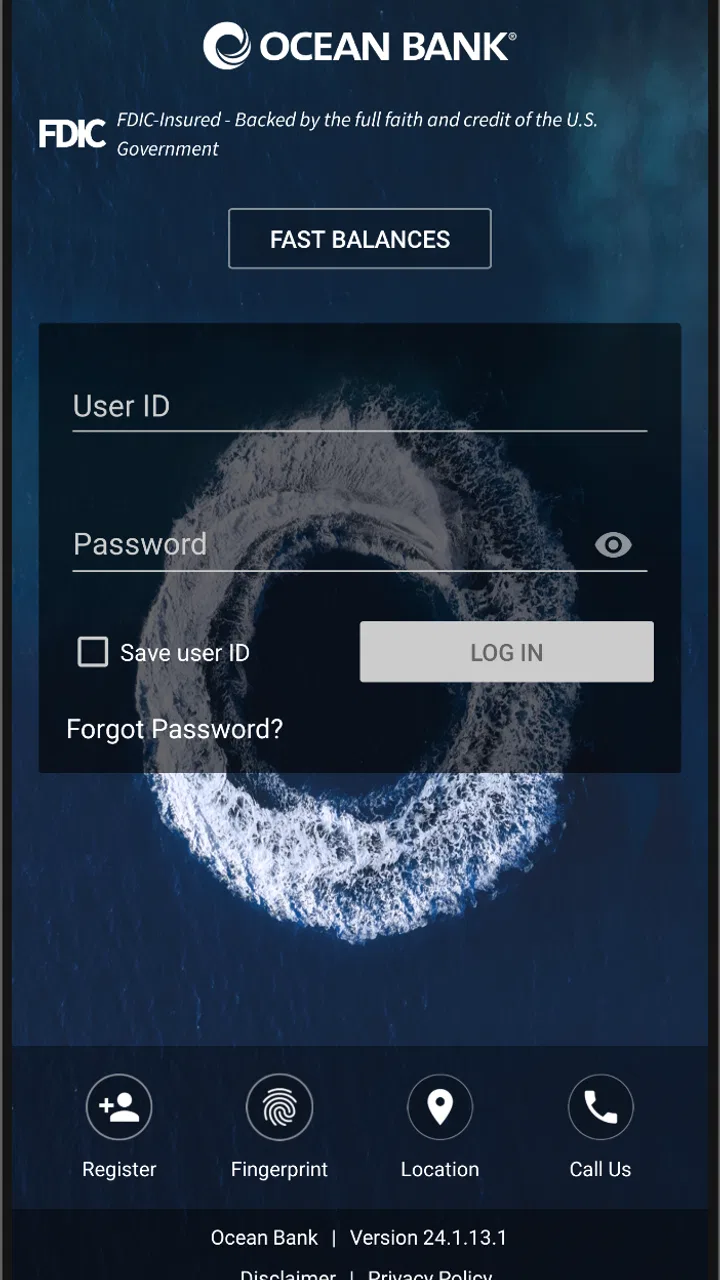
Ocean Bank Mobile Banking
- 4.7
- Rating
- 100.00K
- Installs
- Free
- Price

 Analysis by App-foxy
Banking from a phone sounds simple until an app makes a routine task feel slow, confusing, or fragile. I spent time looking at Ocean Bank Mobile Banking as a practical finance app rather than treating it as just another account shortcut. Developed by Ocean Bank, it is designed for people who want to handle everyday banking while away from a branch or desktop. The central question for me is not whether it looks impressive, but whether it feels dependable when I need to check something quickly or take care of a small banking job during a busy day.
My overall impression is that this is a focused choice for Ocean Bank customers who want mobile access without paying for the app itself. It is free, rated for Everyone, and currently sits at version 25.2.4 for devices running at least iOS or Android 11. That operating-system requirement is important: the app may be easy to consider, but compatibility should be checked before planning to use it on an older phone.
What everyday banking feels like on a phone
The biggest strength of Ocean Bank Mobile Banking is its purpose. It is not trying to be a budgeting game, a broad personal-finance dashboard, or a replacement for every financial service. It is a mobile banking tool from Ocean Bank. That narrow role can be an advantage because I know what to expect when opening it: I am there to deal with my banking rather than browse through unrelated financial content.
You May Also Like

 Blood Strike: 2.5 Anniversary
Blood Strike’s Loadouts Turn Every Drop Into a Tactical Gamble
A close look at Blood Strike’s custom loadouts: how fast access to signature weapons reshapes its battle royale rhythm, rewards preparation, and narrows the gap between fights.

 Pandora - Music & Podcasts
Pandora’s Music Is Easy to Start, but Harder to Recover
Pandora’s strength is its low-effort path from a seed to a station. Its weak spot is how much confidence it asks you to place in connection, setup, and quiet recovery.

 8 Ball Pool
 Is Built on Rivalries, Rematches, and Routine
A close look at the rivalries, rematches, shared routines, and unanswered safety questions that turn a quick pool match into a persistent mobile community.

 Samsung Music
’s Quiet Strength Is Playing What You Already Own
Its reach comes less from spectacle than from dependable access to a personal library. That simplicity is both the app’s strongest retention engine and its ceiling.

 AccuWeather: Weather Radar
AccuWeather Review: A Quick, Clear Forecast for Everyday Decisions
For everyday plans, the best forecast is the one you can understand quickly. AccuWeather makes rain timing, radar, and local conditions easy to act on, with a few trade-offs.

 Hill Climb Racing
Why Hill Climb Racing Still Turns Crashes Into One More Run
A tiny car, a bumpy hill and one more upgrade: Hill Climb Racing keeps resurfacing because its simple chaos makes every near-miss feel personal.
More From Our News Desk



For a typical user, the useful moment is often very ordinary. Imagine leaving work and realizing that an upcoming payment may have left less money available than expected. Instead of waiting until reaching a computer, you can open the banking app and check your position while standing on a train platform or sitting in a café. That kind of quick check is where a mobile banking app earns its place. It reduces the need to remember details and makes a small decision easier to make immediately.
I also see value for customers who prefer to keep their routine banking separate from general finance apps. Third-party money managers can be helpful when someone wants to combine several institutions, but they also introduce another layer between the customer and the bank. Ocean Bank Mobile Banking is the more direct option for someone whose main relationship is with Ocean Bank and who does not need a single screen containing accounts from many providers.
The app has been available since September 20, 2015, which gives it a longer history than a newly launched banking product. That does not automatically guarantee a perfect experience, but it does make the app feel like an established part of Ocean Bank’s mobile offering rather than a temporary experiment. Its current average is 4.7 from around 578 ratings, while roughly 189 written reviews give prospective users more context than a short store blurb alone.
Speed expectations during a quick check
When I judge a banking app, perceived speed matters more than decorative design. I want the opening sequence, account check, and return to the previous screen to feel direct. A banking tool does not need constant animation or a crowded home screen; it needs to get out of the way. Ocean Bank Mobile Banking is best understood with that expectation. Its value comes from reducing friction around a banking task, not from entertaining me while I wait.
There is also a practical difference between an app feeling fast and an account update being immediate. A screen can open quickly while the latest banking information still depends on communication with the bank. I would therefore avoid treating a fast launch as proof that every balance or transaction change is already reflected. For important decisions, I would pause long enough to read the displayed information carefully rather than tapping through simply because the interface appears responsive.
A useful habit is to open the app before an urgent moment and become familiar with where the information you normally need appears. That preparation is more valuable than chasing a few seconds of speed. If I am already comfortable with the navigation, I can spot an unexpected figure or unfamiliar activity sooner. The app then becomes a checking tool rather than a source of rushed guesses.
What happens when usage becomes demanding
Mobile banking tends to feel most demanding when several things happen together: a weak connection, a crowded phone, an interrupted session, or a user repeatedly refreshing because the first result was not clear. Those situations are more revealing than a calm test at home. I would use Ocean Bank Mobile Banking with a little discipline during such moments, especially when I am moving between Wi-Fi and mobile data.
For example, if I am making a purchase and want to verify available funds, I would avoid repeatedly submitting the same action when the screen takes longer than expected. First I would check whether the app has actually changed screens, then wait for a clear result. Repeating taps in a financial app can create uncertainty about whether a request was accepted once or more than once. That is not a criticism unique to Ocean Bank; it is a sensible rule for any banking software, and it is particularly important when the connection is unstable.
Another useful workflow is to separate checking from decision-making. I would open the app, review the displayed account information, and only then decide whether to continue with a purchase or payment. If the screen looks incomplete or the session is interrupted, I would not assume that the missing information means nothing happened. I would reconnect, reopen the relevant area, and verify the final state before trying again.
Resource use is harder to judge from the app’s purpose alone, and I would not expect a finance app to behave like a game or video editor. Its workload is usually short sessions rather than continuous use. In my view, that makes the most important performance question whether it remains comfortable for repeated brief checks, not whether it can stay open for hours. Users with limited storage, an older battery, or many background apps should still keep their phone in good condition because general device pressure can make any banking session feel less responsive.
Reliability matters more than visual polish
Reliability in banking has two sides. The first is technical: can the app open and maintain a usable session? The second is informational: can I confidently understand what the app is showing before acting? Even a polished interface is not useful if an interruption leaves me unsure whether I should retry. Ocean Bank Mobile Banking should be approached as a tool where careful confirmation is part of the experience.
I would make sure my phone has a stable connection before starting a time-sensitive task. If the app stops responding, I would avoid immediately repeating the action. Instead, I would close the momentary loop, reopen the app when the connection is stable, and check the relevant account activity or status. This recovery habit is one of the most important practical tips I can offer because it reduces confusion after an interrupted session.
There is a second recovery step that many people overlook: keep the app and the operating system in a normal maintenance state. Since the current version is 25.2.4 and the minimum operating system is 11, I would not postpone ordinary updates indefinitely or rely on a phone that is already struggling with other applications. I would also avoid testing a major banking task for the first time while rushing to catch a flight or complete a purchase. Familiarity is a form of reliability.
The app’s scale is another useful signal. It has passed 100,000 installs, so it is not an obscure personal project used by only a handful of people. That does not tell me that every device behaves identically, but it does suggest that Ocean Bank Mobile Banking has a meaningful user base. Combined with its 4.7 average, this makes it a credible option for the bank’s customers, while still leaving room for individual experiences to vary with device condition and network quality.
Device limits you should consider first
The clearest device constraint is the minimum operating system requirement of 11. Anyone using an older phone should treat compatibility as the first checkpoint rather than assuming that a finance app will install simply because the handset can run other software. This is especially relevant for people who keep an old device as a backup. A backup phone is only useful for banking if it can support the app and provide a dependable connection when needed.
Screen size and battery condition also affect comfort, even when they do not prevent installation. On a small display, banking information can require more careful reading, and on a tired battery I would avoid beginning a sensitive task when the phone may shut down midway. These are not reasons to reject the app, but they are reasons to choose the device thoughtfully. A newer phone with a stable connection will usually provide a less stressful experience than an older handset already showing general slowdowns.
I would also be cautious about using a public or borrowed device for banking. The app is free, but that does not mean the surrounding device is trustworthy. My preference would be to use my own phone, keep its lock screen protected, and end the session when I am finished. The app’s Everyone age rating makes it broadly accessible, but it should not be confused with a recommendation that children independently manage financial activity.
People who need to manage accounts from several banks should think carefully before choosing this app as their only finance tool. Ocean Bank Mobile Banking is a sensible direct channel for Ocean Bank customers, but a multi-bank finance service may be more convenient for someone who wants consolidated spending information. That alternative can offer broader visibility, while the Ocean Bank app has the advantage of being centered on one banking relationship. The better choice depends on whether direct access or cross-bank overview matters more to me.
Useful habits that make the app easier to live with
My first practical tip is to use it for short, deliberate sessions. Open it with a clear purpose, such as checking an account position or reviewing recent activity, and close it when finished. This keeps the app in its proper role and makes unusual information easier to notice. A quick, focused visit is also less likely to turn into a series of uncertain taps while I am distracted.
My second tip is to create a personal recovery rule: if a screen becomes unclear after a connection problem, do not repeat an important action until the app has been reopened and the account state checked. This is particularly useful when I am away from home and tempted to keep tapping. The extra moment spent verifying is a better trade-off than acting on an assumption.
My third tip is to use the app as a confirmation step before making a financial choice, not as a substitute for reading. I would inspect names, amounts, and account context rather than relying on a glance at a single prominent figure. This approach is valuable when the phone is small, the surroundings are noisy, or I am multitasking. A banking app can make information available quickly, but the user still has to interpret it responsibly.
A fourth insight is that the app is likely to be most valuable to people who already know what they need from Ocean Bank. If I want a simple route to my own banking relationship, its focused design is an advantage. If I want extensive financial planning, automatic categorization across institutions, or a broad household dashboard, I would look at a different category of tool instead of expecting this app to become something it was not designed to be.
Who should use it, and who should look elsewhere?
I would recommend Ocean Bank Mobile Banking to an Ocean Bank customer who regularly needs mobile access and prefers a direct, bank-specific experience. It is free, available to a broad age range, and supported on devices running operating system 11 or later. The combination of an established release history, a large install base, and a strong average rating makes it a reasonable first choice for that audience.
I would be more cautious about recommending it to someone who rarely uses a phone for financial tasks, has an unsupported older device, or wants every account displayed in one place. In those cases, a desktop banking route may feel clearer, a device upgrade may be necessary, or a multi-institution finance app may fit better. I would also avoid making it the sole plan for urgent banking if my phone connection is unreliable or the handset frequently freezes.
Compared with visiting a branch, the app offers obvious convenience for quick checks and routine access. Compared with a desktop browser, it is better suited to short moments away from a desk, while a larger screen may be preferable when I need to study several pieces of information at once. Compared with general finance apps, it is more direct but less naturally suited to combining different banks. Those trade-offs are more useful than declaring one approach universally best.
My performance verdict
Ocean Bank Mobile Banking succeeds when I treat it as a focused access point for Ocean Bank rather than a complete financial command center. Its performance value lies in making brief banking sessions practical, especially when I need information while away from a computer. I appreciate that the app’s role is clear, and the current version gives users a defined target when checking compatibility or maintaining their device.
My reservation is not about a particular missing feature; it is about the responsibility that comes with mobile banking. Network changes, interruptions, older hardware, and rushed tapping can all create uncertainty. The safest experience comes from stable connectivity, a supported device, deliberate reading, and checking the final state before repeating an action. Users who follow those habits are more likely to experience the app as convenient rather than stressful.
In the end, I see Ocean Bank Mobile Banking as a good fit for the bank’s own customers who want quick, focused mobile banking access. Its free price and strong user response make it easy to try, while its device requirement and bank-specific scope are worth considering before committing to it as a primary finance tool. My recommendation is positive for Ocean Bank customers on a supported phone, but I would choose a desktop or multi-bank alternative when broader financial management is the real goal.
FAQs for Ocean Bank Mobile Banking
01What is Ocean Bank Mobile Banking, and what can I do with it?
Ocean Bank Mobile Banking is the bank’s official mobile app for managing eligible Ocean Bank accounts from an Android or iOS device. After signing in, customers can generally review balances and transaction history, transfer money, pay bills, deposit eligible checks, manage alerts, and locate branches or ATMs. Available features may vary depending on your account type, enrollment status, and device.
02Is Ocean Bank Mobile Banking safe to use?
The app is designed to provide secure access to your banking information using login credentials and device-based security features supported by your phone. You should download it only from the official Google Play Store or Apple App Store, verify the publisher before installing, and keep your operating system updated. Never share passwords or one-time verification codes, and avoid banking over unsecured public Wi-Fi.
03How do I enroll or log in to Ocean Bank Mobile Banking?
To use the app, you generally need an eligible Ocean Bank account and online banking enrollment. Install the official application, select the sign-in or enrollment option, and follow the identity-verification instructions. Existing online banking customers can typically use their current credentials, while new users may need account details and additional verification. Contact Ocean Bank directly if registration or password recovery fails.
04Can I deposit checks and transfer money through the app?
Ocean Bank Mobile Banking may support mobile check deposits and account-to-account transfers for eligible customers, although limits, processing times, and availability can depend on your account and banking relationship. When depositing a check, endorse it as instructed, capture clear images, and retain the original until the deposit is confirmed. Review all recipient details carefully before approving a transfer.
05Are there fees or device requirements for using Ocean Bank Mobile Banking?
Downloading and using the app may not carry a separate mobile-access fee, but standard account charges, transfer fees, data usage costs, or service-specific fees may still apply. Requirements can include a supported Android or iOS version, an internet connection, and permission to use features such as the camera for check deposits. Check Ocean Bank’s current terms for exact details.
Pros
- Quick access to balances
- transactions
- and account details
- Mobile check deposit reduces the need to visit a branch
- Bill pay and transfers can be managed from one app
- Card controls help lock or manage a misplaced debit card
- Biometric login can make sign-in faster and more convenient
Cons
- Some features may require an eligible Ocean Bank account
- Mobile deposits can be subject to limits and processing delays
- App usefulness depends on reliable internet access
- Advanced banking services may still require contacting support
- Notifications and security prompts may need manual configuration

Ocean Bank Mobile Banking
Gallery